Skip to content
klxtoto App / Mobile
LIVE LOBBY

klxtoto — Slots, Live Tables and Sports in One Place

From CQ9 and Pragmatic Play slot rooms to live dealer tables and football markets, your lobby is set up and ready to explore. Access is subject to local law and available where eligible regions permit — open an account to check what's available for you.

DANA OVO GoPay
Browse games
CONTENT / 01

Start with Fortune Fishing Game or Football Goal Rush

Fortune Fishing Game is one of the titles we get asked about most — it runs in the arcade section of the lobby and the catch-based prize rounds are clearly described on the game screen before you start. Football Goal Rush sits in the sports-themed slot section and draws on the football interest that Indonesian players bring to the lobby naturally.

  • Fortune Fishing Game

    An arcade-style title in the main lobby. The prize round mechanics are explained on the game screen before each session starts. RTP is shown where the provider publishes it. Open it from the arcade section after login to see the full game detail and bet options available on your account.

  • Football Goal Rush

    A sports-themed slot in the lobby that suits Indonesian players who follow football. The goal-trigger bonus round is described in the game's paytable. Check the slots section after login — the game page shows available bet levels and any active feature details before you start a round.

  • Aviator Mobile Play

    Designed for mobile screens, Aviator Mobile Play keeps your active bet and round history on the same view. The cash-out control is large and responsive on a phone. Find it in the crash games section of the lobby; the game screen explains the multiplier mechanic before your first round.

ACCOUNT DASHBOARD

Check What's Running in Your Account

After you log in, your account dashboard shows the current state of any active account gameplay, wallet credits, and available features. We don't publish a schedule here because what appears in your dashboard depends on your account tier and activity — the live view is always in your account, not on this page

Login
DISCOVER / 01

Choose your game

Full lobby
LOCAL PAYMENTS

Deposit and Withdraw with Local E-Wallets

Your wallet supports DANA, OVO, LinkAja, and QRIS — the local payment rails Indonesian players use daily. To add funds, go to the Deposit section in your account, choose your preferred method, and follow the fields and limits shown on screen.

  • DANA

    Link your DANA account in payment settings to enable deposits and withdrawals. The fields and transaction limits are shown on the deposit page after you select DANA as your method. Verification status is visible in your account wallet section.

  • OVO

    OVO transfers are supported for both deposit and withdrawal where your account region permits. Select OVO from the payment menu, follow the amount fields shown, and confirm through your OVO app. Check your account wallet page for the current verified status.

  • LinkAja

    LinkAja is available as a verified local payment option on klxtoto. Open the deposit or withdrawal page, select LinkAja, and the account screen shows the step-by-step fields and applicable limits. Keep your LinkAja number matched to your registered account details.

  • QRIS

    QRIS lets you scan and pay directly from your mobile banking or e-wallet app. On the deposit page, select QRIS and a scannable code is generated for that transaction. Each code is single-use and the deposit page confirms when the payment is received.

Banking
KLXTOTO
Mobile casino lobby
Popular Live Slots
Live Dragon Tiger Turbo Domino QQ Turbo Round Football Goal Rush
MOBILE LOBBY

Built for phones, clear on desktop

Cards, tables, FAQ and policy pages stay easy to read on smaller screens.

  • Quick categories
  • Mobile first
  • Access
App
CONTENT / 03

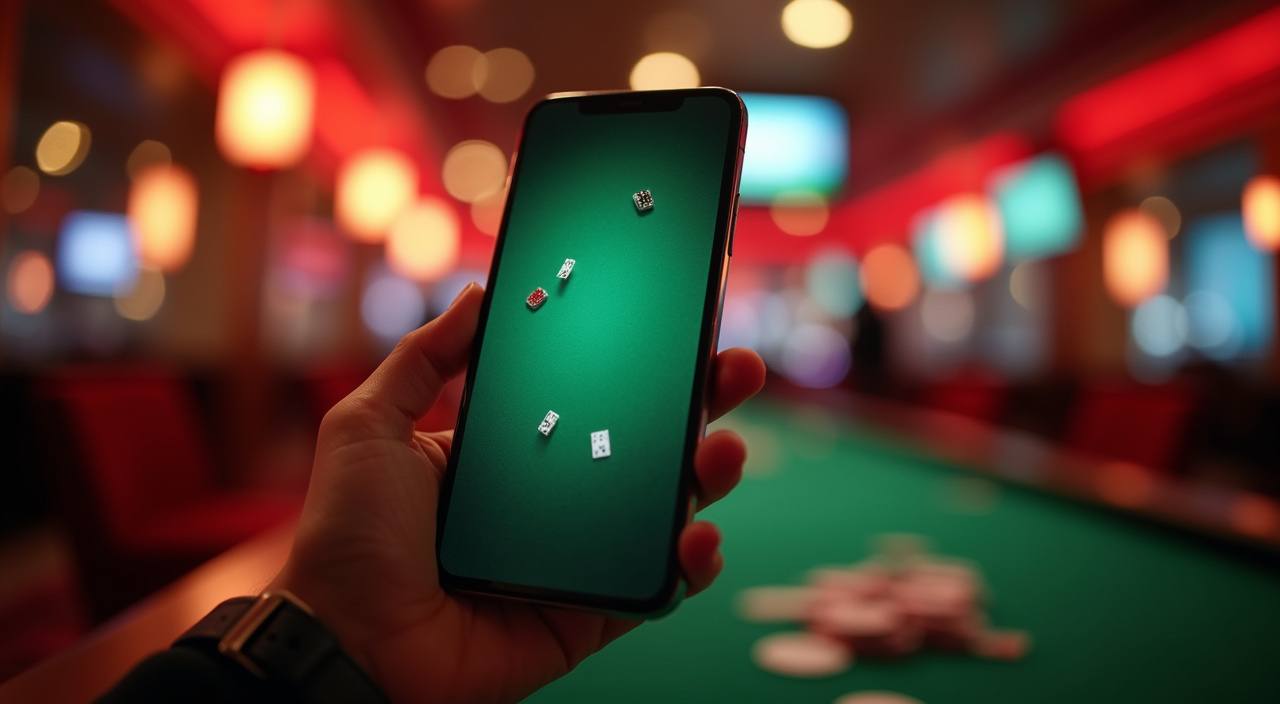
Your klxtoto Lobby Works on Any Phone Screen

The lobby is built for mobile screens — no separate download needed. Open klxtoto in your phone browser, log in with your account details, and the full slot, live casino, and sportsbook layout reflows to fit your screen. Domino QQ Online Room and Live Dragon Tiger Turbo both load cleanly on mobile, and the bet controls are sized for touch.

  • No App Download Needed

    The full lobby — slots, live tables, crash games, and sports — is available through your phone browser. Open the site, log in, and the layout adjusts automatically to your screen size. Your wallet, transaction history, and account settings are all reachable from the mobile menu without needing a native app.

  • Live Dragon Tiger Turbo on Mobile

    Live Dragon Tiger Turbo runs on mobile screens with the card results and bet panel stacked for portrait view. The round timer is clearly visible and the bet buttons are thumb-sized. Find it in the live casino section of the mobile lobby after login — the stream loads within the page without a separate viewer.

  • Domino QQ Mobile Play

    Domino QQ Online Room is accessible from the mobile lobby. The tile display scales to fit phone screens and the action buttons stay in reach of your thumb. Your session chip count syncs with your main account wallet, so any amount you add on desktop is available when you switch to mobile.

GAME NETWORK
CQ9
Pragmatic Play
JDB
Joker
Microgaming
Bigtime Gaming
CONTENT / 04

klxtoto lobby studios

The klxtoto lobby carries content from CQ9, Pragmatic Play, JDB, Joker, Microgaming, Bigtime Gaming. To check the studio, rules or features of one specific game, open that game card or the published information panel.

  • CQ9

  • Pragmatic Play

  • JDB

  • Joker

  • Microgaming

  • Bigtime Gaming

FEATURE BRIEF / 05

Football Betting and Sportsbook Markets

Football is the sports category Indonesian players follow most on this platform, with Liga 1 and European club matches available in the sportsbook section. Open the Sports tab from the main lobby menu to see the current market list — available matches and market types are displayed there in real time.

Game feature guide
  • Liga 1 Markets

    Liga 1 matches are listed in the football section of the sportsbook when fixtures are scheduled. The market page shows available bet types for each match. Odds and market availability update in real time — check the sportsbook tab for the current state rather than this page, as the lobby always reflects live data.

  • European Football

    European club football markets are available in the sportsbook alongside Liga 1. The market listing shows which competitions have active fixtures and what bet types are open. As with all sports markets on the platform, availability depends on local law and eligible region — the sportsbook page confirms what's accessible from your account.

  • Multi-Match Betting

    The sportsbook supports multi-match bet combinations where your account region permits this market type. The bet slip in the sports section shows how to add selections and the combined return is calculated and displayed on the slip before you confirm. Each individual selection is listed separately so you can review before submitting.

GETTING STARTED

Open Your Account in a Few Clear Steps

Creating an account on klxtoto takes a few minutes. Go to the registration page, fill in your details using the fields shown — these include your name, contact information, and a password you set yourself. After submitting, a confirmation is sent to your registered contact; follow the instructions there to verify your account.

  1. Register

    Open the registration page and complete the fields shown — name, contact details, and a password. Each field has its own validation guidance on screen. Submit when all fields are filled; a confirmation message appears to let you know the next step.

  2. Verify Your Account

    After registration, check your contact details for a verification message from klxtoto. Follow the instructions in that message to confirm your account. The verification step is required before deposits and withdrawals are available. Your account dashboard shows the current verification status clearly.

  3. Connect Your Wallet

    Go to the Deposit section in your account and select your preferred payment method — DANA, OVO, LinkAja, or QRIS. The page shows the fields needed to link your wallet and the applicable limits. Follow the on-screen steps to complete the connection; status is updated in your account wallet section.

  4. Start Exploring

    With your account verified and wallet connected, the full lobby is open to you. Head to the slot rooms, live casino tables, or sportsbook from the main menu. Your account balance and transaction history are always visible in the account section — open it any time to check your wallet status.

MEMBER DESK / 06

Offers, support and account controls

01

Game lobby

02

Payment guide

03

Support

TRUST / 03

Find Account Help When You Need It

Our support team is reachable through the contact options shown in the Help section of your account. If you have a question about a transaction, a payment method verification step, or an account access issue, the fastest route is through live chat — the button is visible on the account help page when support is available.

  • Live Chat

    The live chat button is on the Help page inside your account. When the support team is available, it connects you directly to a team member who can look up your account and walk through the issue with you. For payment or verification questions, having your transaction reference number ready speeds things up noticeably.

  • Contact Form

    Use the contact form in the Help section for account queries that don't need an immediate response. Describe the issue clearly and include your registered contact detail so the team can follow up. Wallet verification questions, account access issues, and deposit status queries can all be submitted this way.

  • FAQ in Account

    The FAQ section inside your account covers the most common wallet, deposit, and withdrawal questions — including DANA and OVO verification steps. Check there first for payment-related queries; many account questions are answered without needing to contact support. The FAQ is accessible from the Help menu after login.

Learn more →
ACCOUNT CONTROLS

Your Account Tools and Platform Standards

We build account controls into the platform so you stay in charge of how you engage with the lobby. The account settings page is where you manage your wallet, review transaction history, and adjust notification preferences.

  • Transaction History

    Every deposit, withdrawal, and game session that affects your wallet is recorded in your transaction history. Open the account menu after login and select Transaction History to see a full list with dates, amounts, and status. If a transaction shows an unexpected status, use the reference number shown there when contacting support.

  • Wallet Verification

    Payment methods need to be verified before withdrawals are processed. The account wallet section shows which methods are verified and which still need steps completed. DANA and OVO verification follows the instructions shown on screen — the process is guided and the status updates in real time once the verification step is done.

  • Account Settings

    Your account settings page lets you update contact details, change your password, and review connected payment methods. Notification preferences for account activity are also managed there. Keep your contact details current — support and account verification communications go to your registered details, so an outdated entry can delay account actions.

  • Platform Standards

    Game content on this platform comes directly from the assigned studios. RTP information is shown on the game screen only where the studio publishes it for that title. We don't configure or alter game outcomes — results are handled entirely by each game engine. For questions about a specific game's mechanics, the game screen paytable is the accurate source.

PLAYER INDEX / 07

Common Game Mechanics Explained

If a term in the lobby or on a game screen isn't familiar, this section explains the mechanics behind the most common ones. These definitions describe how gameplay work — not promises about outcomes.

Player guide and glossary
  • What is a bonus round in a slot game?

    A bonus round is a feature built into the slot that activates when specific symbols or combinations appear on the reels. During a bonus round the game switches to a different screen or mechanic — often with additional prize opportunities separate from the base game. The game's paytable, accessible from the game screen, describes exactly what triggers the bonus round for that title.

  • What does RTP mean and where can I find it?

    RTP stands for Return to Player and is a percentage that describes how much of the total bets a game returns over a large number of rounds on average.

  • What is a crash game?

    A crash game is a category where a multiplier rises from the start of each round and you choose when to cash out before the round ends. The longer you hold, the higher the potential multiplier — but the round can end at any point.

  • What does 'live casino' mean?

    Live casino titles use a real dealer filmed in a studio, streamed directly to your screen. You place bets through the game interface and the dealer handles cards, dice, or a roulette wheel in real time. Live Dragon Tiger Turbo is one of the live dealer titles available in the klxtoto lobby. A stable connection helps keep the stream smooth during a session.

  • What is a multi-match bet in the sportsbook?

    A multi-match bet combines selections from more than one fixture into a single bet. The combined return is calculated from all selections and shown on the bet slip before you confirm. Each selection is listed individually so you can review or remove one without starting over. The sportsbook page shows which bet types are available for each market.

  • What is a prize symbol in a slot?

    A prize symbol is a specific symbol on a slot's reels that contributes to a payout when it appears in the right combination. Every slot has its own prize symbol hierarchy, described in the paytable accessible from the game screen. High-value prize symbols typically appear less frequently than standard ones — the paytable shows the relative value of each.

  • What is a fishing game?

    A fishing game is an arcade-style game where you aim and shoot at fish moving across the screen, with different fish awarding different amounts when caught. Fortune Fishing Game is one of the fishing titles in the klxtoto lobby. The game screen explains the mechanics, ammo costs, and prize values for each type of fish before your session starts.

Full glossary
LOBBY / 02

One mobile lobby, distinct game areas

Live Dragon Tiger Turbo Live Live Dragon Tiger Turbo Access → Domino QQ Turbo Round Slots Domino QQ Turbo Round Access → Football Goal Rush Sports Football Goal Rush Access → Aviator Mobile Play Slots Aviator Mobile Play Access → Fortune Fishing Game Slots Fortune Fishing Game Access → Domino QQ Online Room Slots Domino QQ Online Room Access →
EXPLORE FURTHER / 04

Explore detailed guides

Local lobby check

QUICK ANSWERS

Frequently asked questions

These are the questions we hear most often from players setting up their account or getting started in the lobby. If your question isn't here, the Help section inside your account has additional support options.

Read FAQ →
How do I deposit using DANA on klxtoto?

Log in and open the Deposit page from your account menu. Select DANA as your payment method and the page shows the fields to complete, the current Deposit references, and any verification steps needed for your account. If your DANA wallet isn't verified yet, the account wallet section guides you through the verification process before the deposit can proceed.

Can I withdraw to my OVO wallet?

Yes, OVO withdrawals are available where your account region permits. Go to the Withdrawal page in your account, select OVO, enter the amount within the limits shown, and confirm. Your OVO number needs to match your registered account details. The account wallet section shows whether your OVO method is verified — verification is required before a withdrawal can be processed.

What games are available in the klxtoto lobby?

The lobby includes slots, live casino tables, arcade games, crash games, and a sportsbook section. Game content comes from CQ9, Pragmatic Play, JDB, Joker, Microgaming, and Bigtime Gaming. Titles include Domino QQ Online Room, Live Dragon Tiger Turbo, Football Goal Rush, Fortune Fishing Game, and Aviator Mobile Play, among others. The full catalogue is visible in the lobby after login.

Is the lobby available on mobile?

Yes — the lobby works in your phone browser without a separate download. Open klxtoto, log in, and the layout adjusts to your screen. Slots, live tables, and the sportsbook are all accessible on mobile. Live Dragon Tiger Turbo and Domino QQ Online Room both run on mobile screens with controls sized for touch.

How do I contact support if I have an account issue?

Open the Help section inside your account. Live chat is available from that page when the support team is online — it connects you directly to a team member who can review your account.

Why isn't RTP shown for some games?

RTP is only displayed on the game screen where the studio that made the game has published that information. Not every provider makes RTP data available for every title. If the figure isn't shown on a game's screen, it means the provider hasn't released it for that specific game — it's a provider decision, not a platform configuration.

How do I check my transaction history?

Log in and open the account menu, then select Transaction History. Every deposit, withdrawal, and session that affected your wallet is listed there with the date, amount, and status. If you see a transaction with an unexpected status, note the reference number shown and use it when you contact support through the Help section.

Does access to games depend on where I am in Indonesia?

Access to games and sports markets depends on local law and is available where your region and eligibility permit. The lobby shows what's available based on your account region. If a category or title isn't accessible from your account, it reflects the eligibility rules that apply to your region — contact support through the Help section for more detail on your specific situation.

READY WHEN YOU ARE

klxtoto game lobby

Access may be available only where local law permits.

Register Login